5 min read
How to Build a Program Intake Pipeline in Salesforce
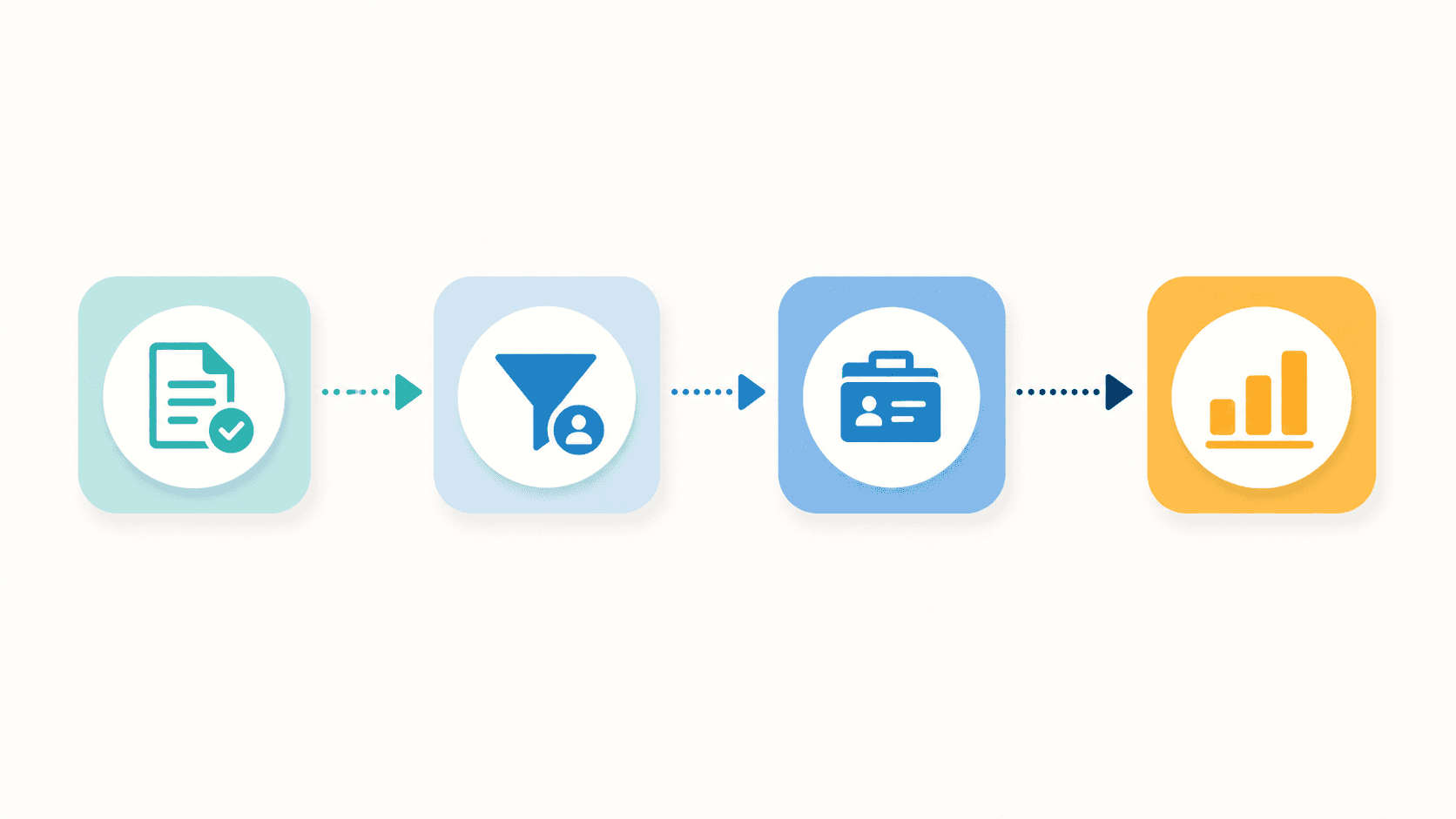
A step-by-step system for managing client requests from first submission through triage, conversion, and case reporting — without manual data entry at every handoff.
There is a version of Salesforce that a lot of nonprofits are living with right now. The system exists. Someone set it up. But somewhere between the client submitting a request and that request becoming a case in the system, a staff member is copying data by hand.
It happens for understandable reasons. The intake form lives somewhere external, like Microsoft or Google, or on your website — and connecting it cleanly to Salesforce requires configuration that nobody got around to. So the workaround became the process: export the submission, open Salesforce, create the record manually, and move on to the next one.
For a growing direct service nonprofit managing hundreds of requests across multiple programs, that workaround was consuming hours of staff time every week — and making it nearly impossible to know, at any given moment, what the program had actually done.
Here's how we built a functional intake pipeline to solve exactly that.
The Starting Point
The organization we worked with provides services to individuals, small businesses, and nonprofits across several program areas. Clients submit requests through intake forms, staff triage those requests against eligibility criteria, and qualifying clients get converted into cases assigned to pro-bono service providers or program staff.
Before the system was rebuilt, the intake chain looked like this: a client submitted a form, their response landed in a spreadsheet, a staff member reviewed the spreadsheet and manually re-entered the data into Salesforce to create a screening record, and from there, a separate manual process moved eligible clients into cases. Monthly program reports that were required for funder compliance were assembled by hand from case notes, spreadsheet exports, and whatever activity had been logged across the team.
The goal was to close every gap in that chain.
The Architecture
The rebuilt intake pipeline runs on two platforms: Salesforce as the system of record, and FormAssembly as the intake and form delivery layer. The connection between them is direct: a client submits a form, and a Salesforce record is created automatically with no staff involvement required.
That single change — eliminating the manual re-entry step — restructured how the team's time gets used. Staff who were previously transcribing data are now triaging it.
How the Pipeline Works
Intake: Direct Submission to Salesforce
Every client request now enters the system through a FormAssembly form connected directly to Salesforce natively. When a form is submitted, a triage record is created automatically and pre-populated with the client's contact information, organization details, program, case description, and eligibility data. Staff see the request in a Salesforce dashboard without touching a spreadsheet.
For clients returning for additional services, the same flow applies. The system looks for an existing record, surfaces the match, and allows staff to link the new request to an existing account.
Triage: Structured Review Inside Salesforce
Once a Screening record exists, the triage process runs entirely within Salesforce. Staff follow a defined review sequence: confirm required fields are complete, assess program fit against eligibility criteria, and route the request to the appropriate program or escalate it internally if the fit is unclear. The triage logic accounts for several dimensions of eligibility: client type, geographic service area, household income relative to federal poverty guidelines, and keywords in the case description. Each of those checks has a defined outcome that determines whether to proceed, request clarification, escalate, or close with a documented rejection reason.
Status fields update automatically as staff take action. When a clarification email goes out, the record logs it. When an escalation happens, the record reflects it. The team's dashboard surfaces requests that have gone more than seven days without activity, so nothing stalls without someone seeing it.
Conversion: Inquiry to Case Management
When a screening is ready to move forward, staff convert it into a case. The system checks for existing Account and Contact matches, prompts staff to link or create, and generates a case record with the relevant inquiry data already mapped in: issue categories, program designation, urgency flags, and eligibility data.
From that point, the case becomes the working record. Service providers and program staff log engagement directly on the case using a structured activity tracking tool custom-built through native Salesforce capabilities. Each interaction is timestamped, categorized, and associated with the client an program.
Reporting: Dashboards, not Collation
This is where the investment in structured data pays off most tangibly.
Before the pipeline was in place, monthly program reports required someone to manually gather activity data from case notes, cross-reference it against the spreadsheet, and compile it into a format suitable for funder and partner reporting. That process could take hours and it was only as accurate as the data that had been consistently logged.
Not, the monthly report is a Salesforce dashboard refresh.
Because every inquiry, conversion, and case engagement flows through the same structured system, the reporting layer has clean data to work with. Program volume, case status, engagement frequency, outcome tracking — all of it surfaces in real time without any manual assembly. Staff who used to spend the last week of the month on report preparation can redirect that time to serving more clients.
What This Required
The direct submission connection between FormAssembly and Salesforce was the foundational piece. Without it, every downstream improvement — structured triage, clean conversion, reliable reporting — would have been undermined by the manual re-entry at the top of the chain.
Getting the connection right required mapping form fields accurately to Salesforce objects, building the conversion logic to handle returning clients without creating duplicates, and configuring the screening-to-case flow so that data transferred cleanly rather than requiring staff to re-enter it at the conversion step.
The reporting layer required that engagement tracking be structured and required. No more optional notes in a text field, instead the team has categorized activity with defined fields that the dashboard could aggregate. That meant building the tracking tool and getting staff to use it consistently, which is a change management challenge as much as a technical one.
The system only produces accurate reports if the data going into it is accurate. That dependency doesn't go away. But the design of the pipeline makes consistent data entry the path of least resistance rather than the extra mile.
A Note on Where This Fits
This kind of intake pipeline is relevant for any nonprofit that manages a defined process between a client's first contact and the delivery of service — whether it be social services, workforce programs, legal services, housing assistance, or health navigation. If there's a form, a triage step, a conversion, and a reporting obligation, the architecture described here applies.
The platforms will vary. The logic doesn't.
Dept.1 Solutions helps nonprofits build the operational systems that make mission-driven work sustainable. If your intake process depends on manual steps that shouldn't be manual, we should talk.
